My Top 3 Agentic Coding /Skills
Writing code is one part of delivering reliable software. Teams must also test the user experience, integrate changes safely, operate CI/CD pipelines, and help users when something does not work as expected.
These are three agentic skills that have become especially useful in my workflows. They may not be relevant to your work, but maybe it’ll get you thinking about and creating useful /skills for yourself.
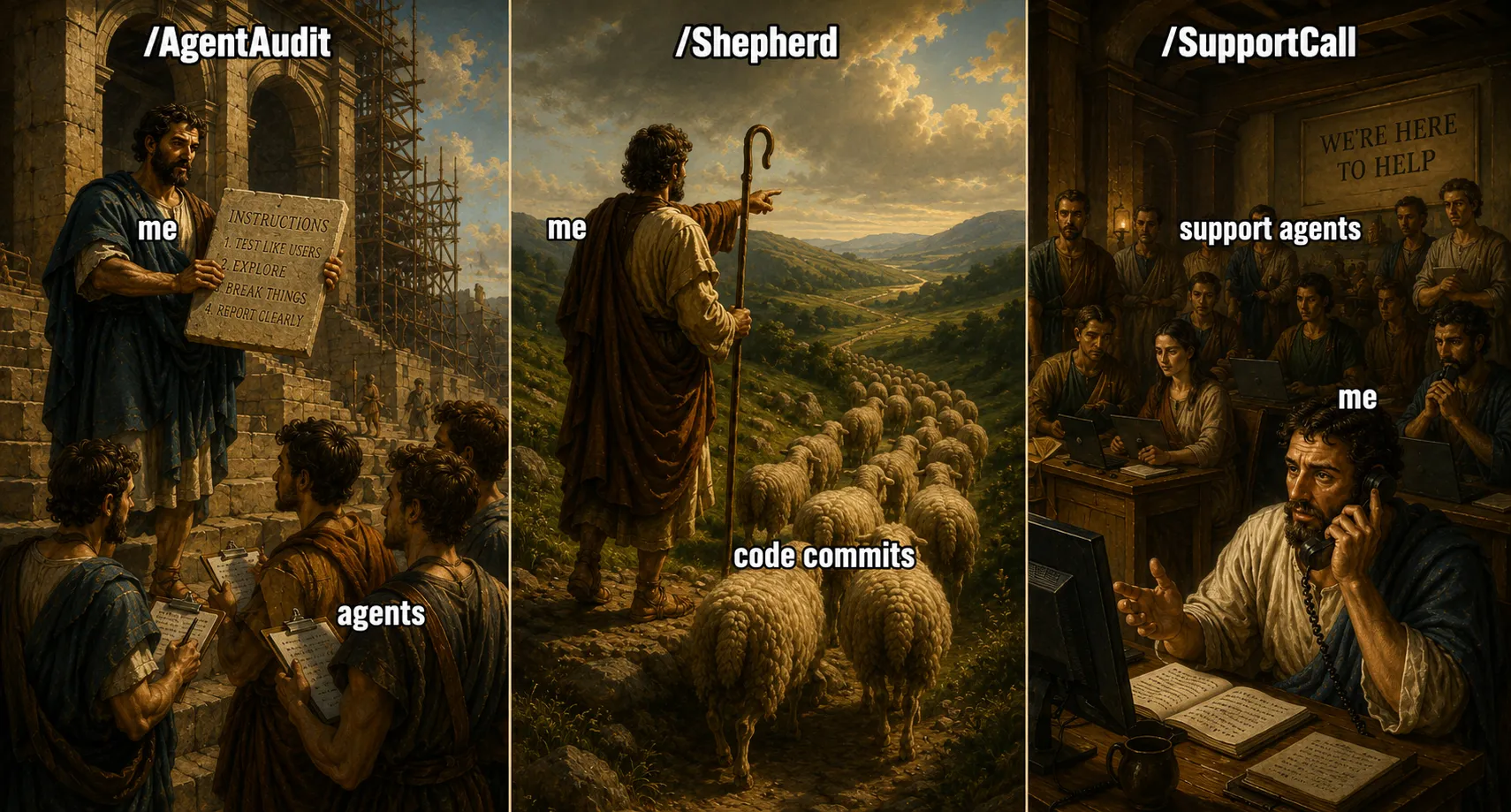
A Skill is a repeatable set of instructions that teaches an AI agent how to complete a specific workflow, including which tools to use, what decisions to make, and what guardrails to follow. It turns a general-purpose agent into a dependable specialist for a particular task.
1. AgentAudit: multiple agents testing like real users
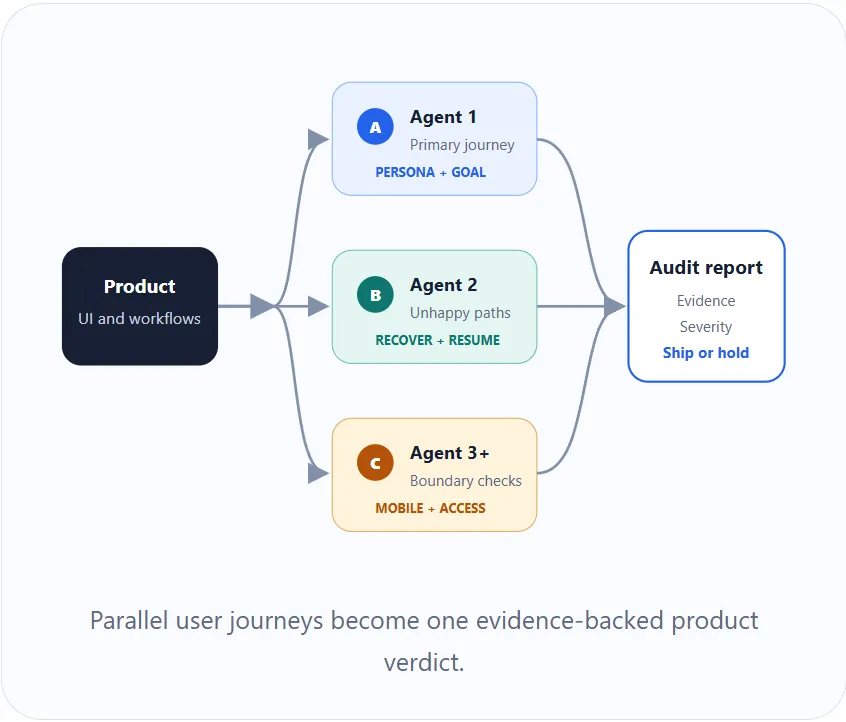
/AgentAudit tasks multiple browser agents with reviewing the product through its visible user interface.
Each agent receives a persona, a user journey, and a specific objective. One might test an adviser workflow, another a client workflow, and another permissions, mobile behaviour, error recovery, or cross-user hand-offs.
The agents do more than follow the happy path. They go back, cancel, change earlier answers, enter unexpected data, abandon work, resume it, and check whether the result is understandable.
The findings are then consolidated into a single report with screenshots, reproducible steps, severity, and a release recommendation.
This complements automated testing. Unit and integration tests can confirm that the code behaves as expected. Multiple browser agents can reveal that a feature technically works but is confusing, inaccessible, inconsistent, or impossible to recover from. (CLAUDE, WHY IS THERE NO BUTTON FOR THE USER!)
It is useful both for broad regression testing and for stress testing a new feature before release.
2. Shepherd: continuously integrating hundreds of commits
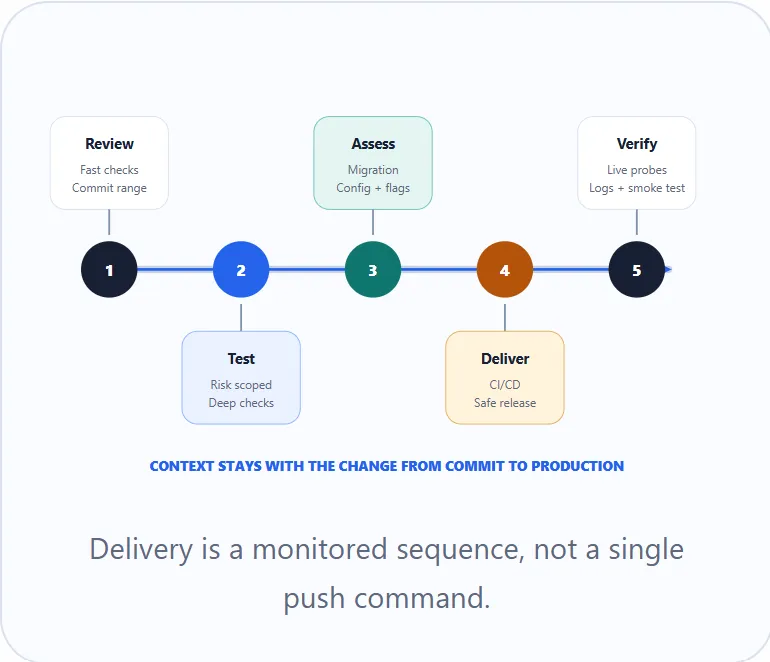
I use /Shepherd to continuously integrate hundreds of commits per day without treating deployment as a simple push command.
The skill follows a defined sequence:
- Run fast local checks while reviewing every commit included in the release.
- Select deeper tests based on what changed, including integration, accessibility, and end-to-end tests where appropriate.
- Review deployment risks such as database migrations, configuration changes, feature flags, security concerns, and incomplete work.
- Push the approved changes and monitor every stage of CI/CD.
- Verify the live environment through health checks, important user paths, logs, and feature-specific smoke tests.
If a check fails, Shepherd investigates the failure, determines whether it is a code problem, infrastructure issue, or transient failure, and follows the appropriate recovery path.
The value is not blind automation. It is continuity. The same agent retains the context from the commit range through testing, deployment, and production verification.
That makes high-volume integration safer and reduces the chance that a failure, migration risk, or unfinished feature gets lost between people or systems.
3. SupportCall: live product and technical support
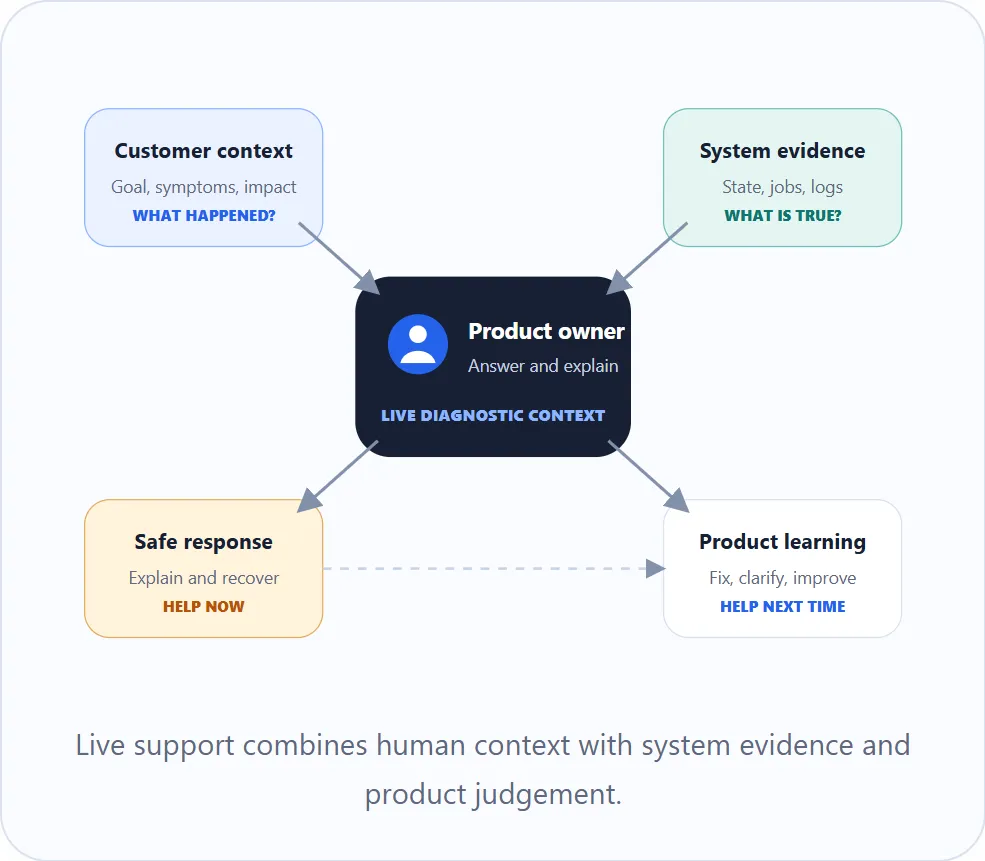
/SupportCall helps me respond during a live customer conversation.
It provides a structured way to identify the user, workflow, affected record, current system state, related background jobs, and likely recovery path. It can use read-only production information to distinguish between a genuine defect, expected behaviour, incomplete user action, and a process that is still running.
This helps preserve context, but it also helps me as a product owner answer questions and explain what is happening.
For example, it can help explain why a document request is still incomplete, whether an AI generation job has failed or is waiting for information, or why something uploaded by a user has not yet appeared in another system.
Sometimes the answer is that the software is working correctly but communicating poorly. Sometimes a support question exposes a missing product capability. Both outcomes are valuable.
The skill also separates evidence from hypotheses, recommends the least invasive remedy, and records lessons that should influence future product work.
The common pattern
These skills operate at different stages:
- AgentAudit tests whether users can successfully complete their work.
- Shepherd moves software changes safely through CI/CD and into production.
- SupportCall helps explain and resolve what happens when real users encounter the system.
What connects them is context. Each skill gathers information from several places, follows a repeatable process, and produces an outcome that a person can verify. The agent handles much of the coordination while people retain control over important decisions.
That is where I see some of the greatest value in agentic coding. Not simply producing more code, but making testing, delivery, and support faster and more consistent.
Creating a /skill is very easy, just ask your friendly local AI! And they become better as you use them and iterate on their functionality.